Available on iOS, iPadOS & macOS
Never guess how much filament is left ever again
Track every 3D printer spool with QR codes or NFC tags. Know exactly what you have, how much is left, and when you're running low.
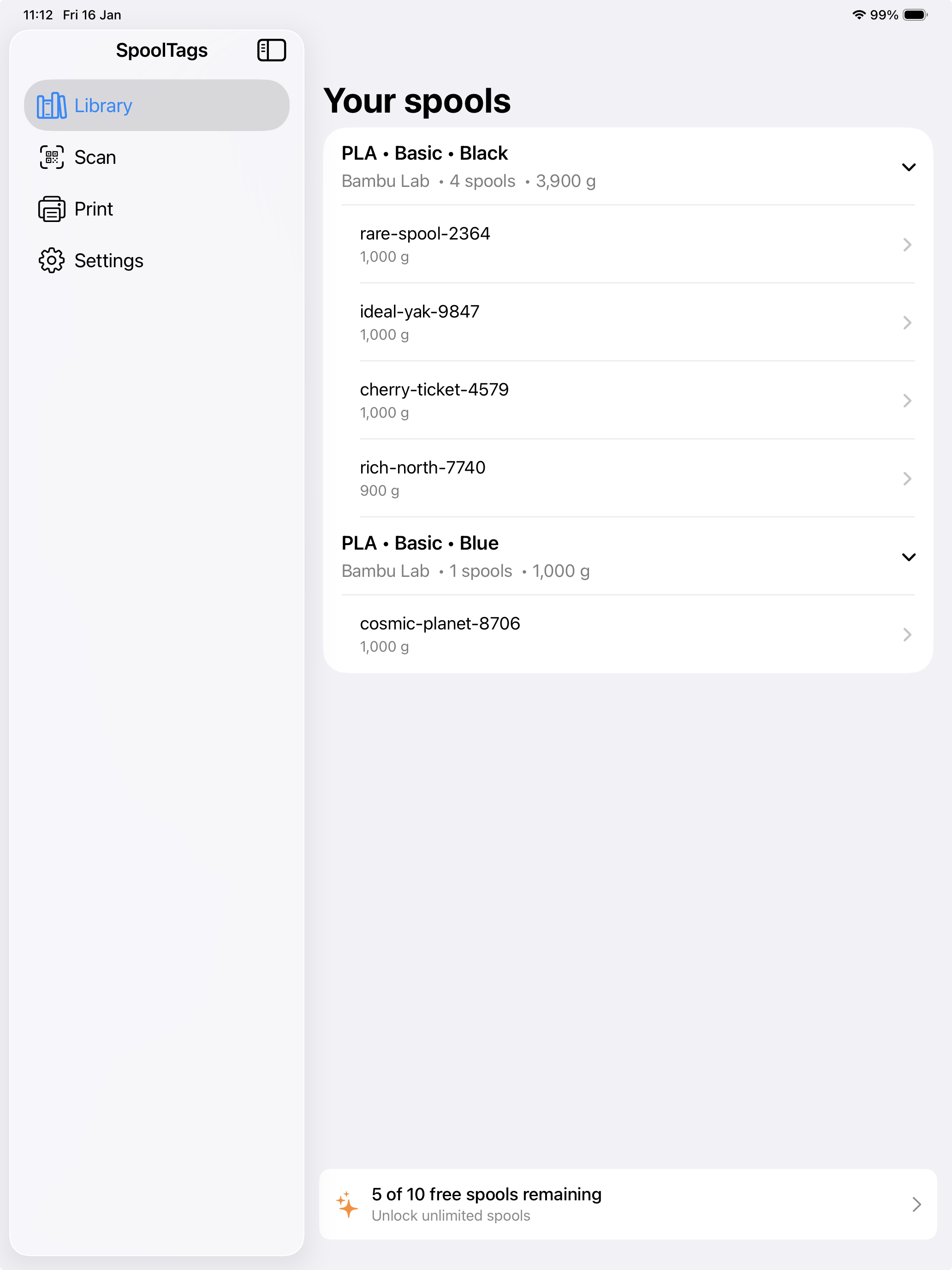
Track every 3D printer spool with QR codes or NFC tags. Know exactly what you have, how much is left, and when you're running low.
From hobbyist to print farm, SpoolTags scales with your needs.
Instantly look up any spool by scanning its QR code. Works with your iPhone, iPad, or Mac camera.
Tap your iPhone to read NFC tags on your spools for even faster access to spool data.
Track starting, current, and empty spool weights. Get alerts when stock runs low.
Generate professional label sheets in A4 or US Letter. Print, stick, and start tracking.
Your spool library syncs automatically across all your Apple devices via iCloud.
Group spools by manufacturer, material, variant, and color. Archive old spools to keep things tidy.
Three easy steps to organize your filament collection.
Generate a sheet of QR code labels from the app. Choose A4 or US Letter size, then print on regular paper or adhesive labels.
Stick a QR label on each spool or the bag it came in. Or use reusable NFC tags that you can move between spools as you finish them.
Scan a QR code or tap an NFC tag to create or update a spool record. Log the weight after each print to always know how much filament is left.
Watch a complete walkthrough from unboxing a new spool to tracking it in your library. This demo covers both QR code stickers and NFC tags so you can see which method suits your setup.
You only need one tagging method — we show both so you can pick what works best for you.
Start free, upgrade when you need more.
Forever free
One-time purchase
Also available at the same price in GBP: £5.99
Download SpoolTags today and never wonder how much filament is left on a spool again.
Requires iOS 17+, iPadOS 17+, or macOS 14+